Beginner
web3AI Summary
Show More
Quickly grasp the article's content and gauge market sentiment in just 30 seconds!
Detailed Summary
In order to proceed with this tutorial, you’ll need to have a Windows PC that runs Windows 10 and above.

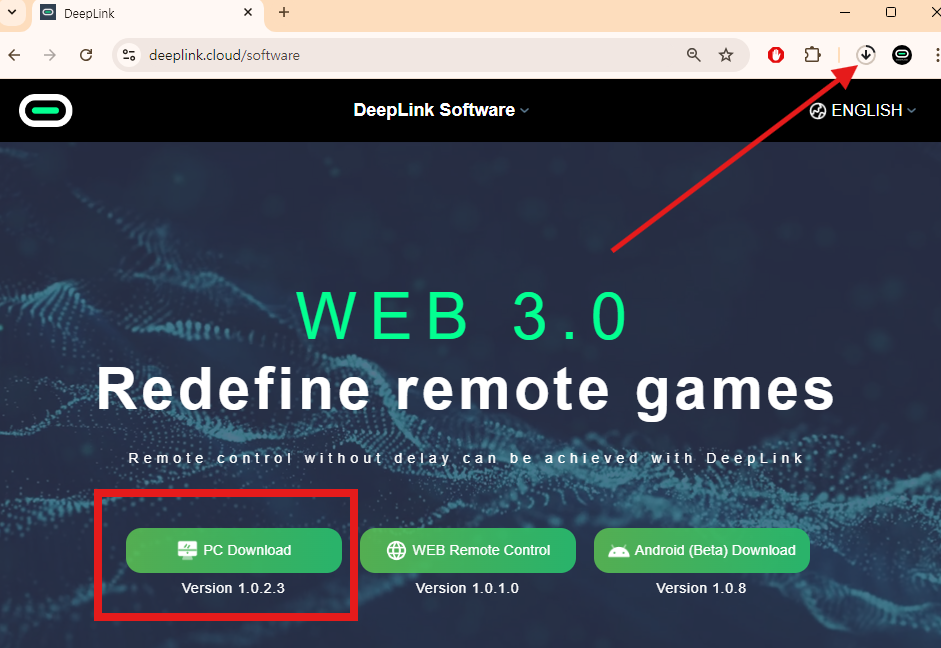
Step 1: Navigate to the Download DeepLink website and click on PC Download.
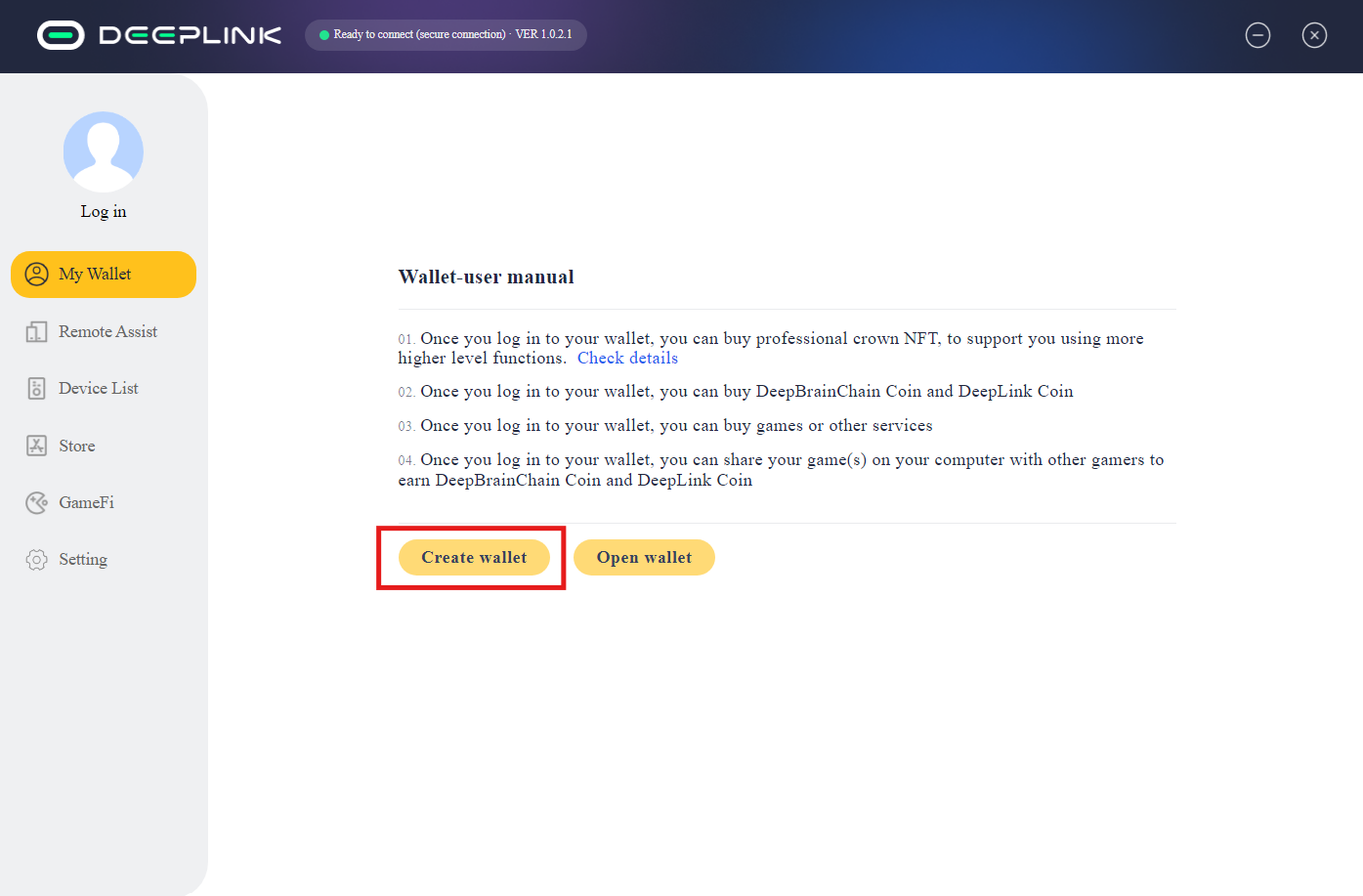
Step 2: After successful installation, click on Create wallet to create your wallet.
Note: Please remember to save your secret key and password.
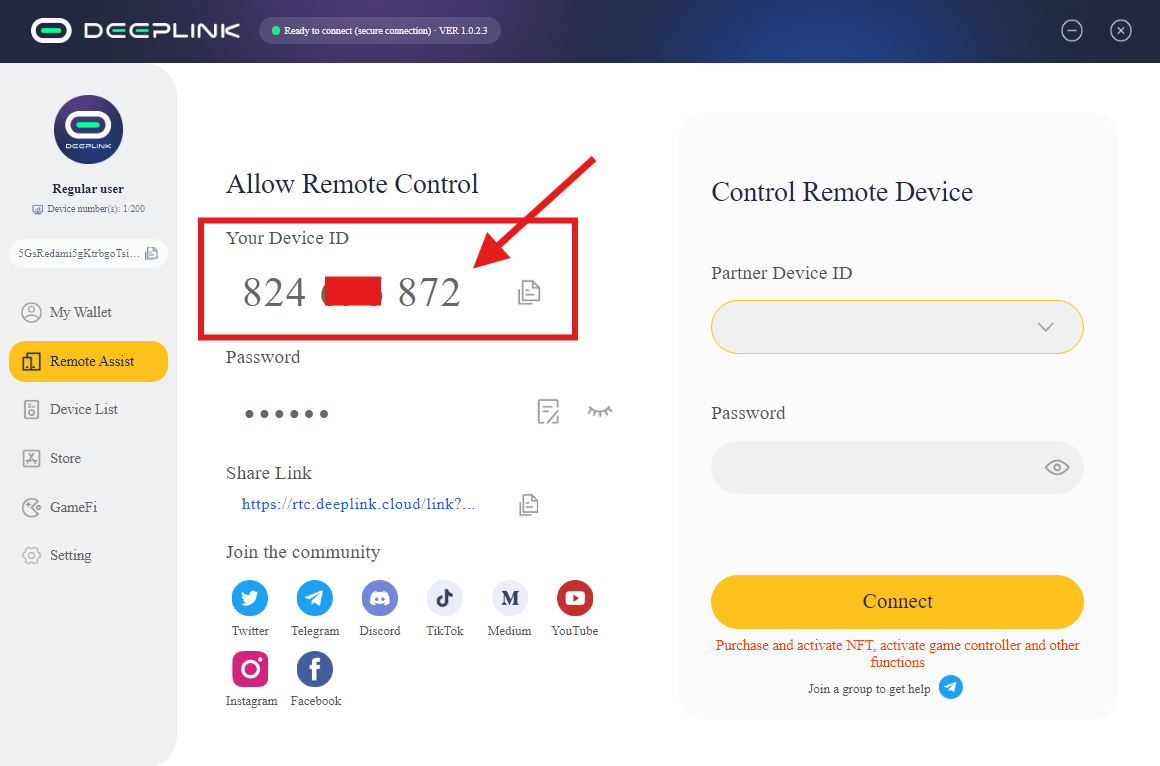
Step 3: After downloading, please check your Device ID.
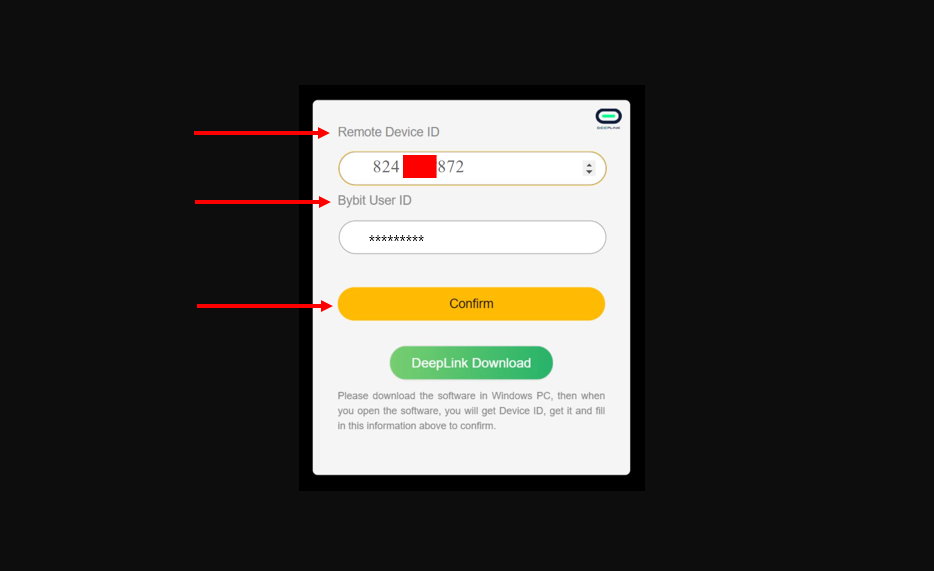
Step 4: Navigate to this page and input your Remote Device ID and Bybit User ID. Then, press on Confirm.
Congratulations! You’ve successfully completed this task!
#LearnWithBybit
Grab Up to 100 USDT in Rewards
Also, enjoy 555% APR on Bybit Earn products!